
Why Choose Emby Server for Your Personal Cloud Storage?
As concerns about data privacy and subscription costs mount, more people are seeking alternatives to traditional cloud storage services like Google Drive and Dropbox. The desire for complete control over personal data, combined with the flexibility to customize storage solutions, has fueled interest in self-hosted platforms. Emby Server emerges as a compelling answer for tech enthusiasts who want more than basic file storage—it’s a comprehensive media management system that transforms your personal cloud into an entertainment hub. This article explores why Emby Server stands out as an ideal choice for building a robust personal cloud infrastructure. We’ll examine its core benefits, demonstrate how it integrates seamlessly with NAS systems and home servers, and provide practical setup guidance. Whether you’re a hobbyist looking to centralize your digital media collection or a power user seeking advanced file management capabilities, understanding Emby Server’s potential will help you make informed decisions about your personal cloud strategy.
The Evolution of Personal Cloud Storage: From NAS Systems to Emby Server
The landscape of personal data storage has undergone a dramatic transformation over the past decade. Initially, consumers relied heavily on commercial cloud storage solutions, accepting limited control over their data in exchange for convenience. However, growing privacy concerns and recurring subscription fees prompted a shift toward self-hosted alternatives. Network Attached Storage (NAS) systems emerged as the foundation for home-based cloud storage solutions, offering direct ownership and unlimited capacity expansion. These dedicated storage devices provided reliable file access across home networks but often lacked sophisticated media management capabilities. Emby Server represents the next evolutionary step, building upon the solid foundation of NAS infrastructure while adding powerful media streaming, transcoding, and organization features. It transforms basic file storage into an intelligent personal cloud ecosystem that can catalog, index, and deliver content to any device. This integration allows tech enthusiasts to maintain complete data sovereignty while enjoying the polished user experience typically associated with commercial streaming platforms, effectively bridging the gap between raw storage capacity and practical media consumption.
What is Emby Server? Core Features and Benefits for Tech Enthusiasts
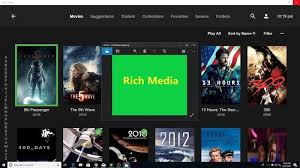
Emby Server is an open-source media server platform that functions as both a comprehensive entertainment hub and a sophisticated digital asset manager for personal cloud environments. At its core, it organizes and streams movies, TV shows, music, and photos across multiple devices while maintaining complete user control over data storage and access. The platform excels through its cross-platform compatibility, supporting Windows, Linux, macOS, and various NAS operating systems, alongside client applications for smartphones, smart TVs, and web browsers. Its intuitive interface rivals commercial streaming services, featuring automatic metadata retrieval, cover art display, and personalized user profiles. For tech enthusiasts, Emby Server delivers unparalleled customization through plugins, themes, and API access, enabling tailored solutions that commercial providers cannot match. The privacy advantage is substantial—your data remains entirely on your infrastructure without third-party access or monitoring. Cost-effectiveness becomes evident when comparing one-time hardware investments against perpetual subscription fees, especially for households with extensive media libraries. The platform’s transcoding capabilities ensure smooth playback regardless of device specifications or network conditions, automatically adjusting quality to match available bandwidth. This combination of professional-grade features, complete ownership, and flexible deployment makes Emby Server particularly appealing to users who value both technical capability and practical functionality in their personal cloud infrastructure.
Integrating Emby Server with Your NAS Systems and Home Server
Emby Server’s architecture is specifically designed to complement existing NAS infrastructure and home server setups, creating a unified personal cloud ecosystem. Popular NAS platforms like Synology, QNAP, Asustor, and Western Digital support native Emby installations through their respective app stores, eliminating complex configuration requirements. For DIY enthusiasts running custom home servers on Ubuntu, Debian, or Windows Server, Emby provides straightforward installation packages that integrate seamlessly with existing storage arrays. This compatibility extends to Docker containers, enabling advanced users to deploy Emby within virtualized environments for enhanced flexibility and resource management. The integration offers significant practical advantages beyond simple file storage. Centralized storage means your media library, family photos, and important documents reside on a single, accessible platform rather than scattered across multiple devices or services. Modern NAS systems consume minimal power compared to traditional desktop computers, making them ideal for always-on server applications without substantial electricity costs. Scalability becomes effortless as you can expand storage capacity by adding drives to your NAS array without migrating data or reconfiguring Emby Server. The synergy between Emby’s intelligent media management and your NAS’s robust storage capabilities creates a professional-grade personal cloud that rivals commercial alternatives while maintaining complete ownership and control over your digital assets.
Compatibility with Major NAS Platforms
Emby Server maintains official support for Synology DSM, QNAP QTS, Asustor ADM, and Netgear ReadyNAS operating systems, with installation typically requiring DSM 6.0 or higher, QTS 4.3 or newer, and equivalent versions for other platforms. Installation methods vary by manufacturer but generally involve accessing the NAS app center, searching for Emby Server, and clicking install—the process takes minutes and requires no command-line expertise. Minimum hardware requirements include a dual-core processor and 2GB RAM, though 4GB or more is recommended for transcoding multiple streams simultaneously. Docker-based installations offer additional flexibility, allowing deployment on any Linux-based NAS that supports containerization, including unRAID and OpenMediaVault systems.
Step-by-Step Guide: Configuring Emby Server for Optimal Personal Cloud Use
Installation and Initial Setup
Begin by downloading the appropriate Emby Server package from the official website, selecting the version that matches your operating system or NAS platform. For Synology users, navigate to Package Center, search for “Emby Server,” and click install—the system handles dependencies automatically. QNAP owners should access the App Center and follow similar steps. For manual installations on Linux or Windows home servers, download the installer, run it with administrator privileges, and follow the on-screen prompts. Once installation completes, access the Emby Server interface by opening a web browser and navigating to your server’s IP address followed by port 8096 (example: http://192.168.1.100:8096). The initial setup wizard guides you through essential configuration steps, including creating an administrator account with a strong password, selecting your preferred language, and configuring basic server settings. Accept the default network settings initially—you can refine these later. The wizard will prompt you to set up your first media library, but you can skip this step temporarily to complete the foundational configuration first.
Configuring Media Libraries and Permissions
After completing initial setup, navigate to the Emby dashboard and select “Library” to add your media sources. Click “Add Media Library” and choose the content type—Movies, TV Shows, Music, or Photos—as this determines how Emby organizes and presents your files. Browse to the folder location where your media resides on your NAS or home server, ensuring the Emby Server process has read permissions for these directories. Enable metadata downloading to automatically retrieve cover art, descriptions, cast information, and ratings from online databases, which transforms raw files into a polished media experience. For optimal organization, maintain consistent file naming conventions: movies as “MovieTitle (Year).ext” and TV shows as “ShowName/Season 01/S01E01 – Episode Title.ext”. Configure user accounts under the “Users” section, creating separate profiles for family members with customized access permissions. Restrict children’s accounts to age-appropriate content using parental controls, and consider creating guest accounts with limited library access for visitors. Enable remote access through the Emby Connect service if you want to stream content outside your home network, though this requires port forwarding configuration on your router or using Emby’s relay service for simplified setup.
Hardware and Software Recommendations for Your Emby Server Setup
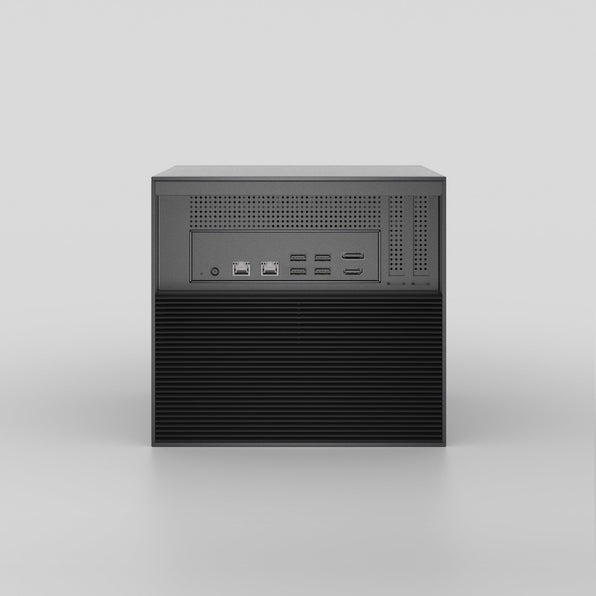
Selecting appropriate hardware ensures smooth Emby Server performance and reliable personal cloud operation. For NAS-based deployments, Synology DS220+ or DS420+ models offer excellent value with Intel Celeron processors capable of hardware transcoding, while QNAP TS-464 provides similar capabilities with additional expansion flexibility. Budget-conscious users can consider Asustor AS5304T, which delivers solid performance at competitive pricing. Emerging options like ZimaBoard and other Zima network-attached storage solutions provide compact alternatives for users seeking energy-efficient home server platforms with Docker support. Minimum specifications should include a dual-core processor with 4GB RAM for basic streaming, though 8GB is preferable for households with multiple concurrent users. Storage configuration depends on your library size—start with two drives in RAID 1 for redundancy, expanding as needed. Network infrastructure matters significantly; gigabit Ethernet connections between your server and router prevent bottlenecks, while WiFi 6 routers improve wireless streaming quality. For DIY home servers, repurposed desktop computers with Intel processors featuring Quick Sync technology provide cost-effective transcoding capabilities. Software enhancements include the Emby Premiere subscription for advanced features like hardware acceleration and mobile sync, though the free version satisfies most users. Essential plugins include Trakt for watch history synchronization and Kodi integration for alternative playback interfaces. Consider UPS battery backup to protect against data corruption during power outages, and implement automated backup solutions like Duplicati or Synology Hyper Backup to safeguard your media metadata and configuration settings.
Enhancing Digital Asset Management with Emby Server
Emby Server transcends basic file storage by functioning as a comprehensive digital asset management platform that intelligently organizes your entire media ecosystem. The metadata scraping engine automatically retrieves detailed information for movies, television series, music albums, and photo collections, transforming disorganized folders into a professionally curated library with cover artwork, descriptions, and sortable attributes. Remote access capabilities enable secure streaming from anywhere through Emby Connect or self-configured VPN solutions, allowing you to access your personal cloud while traveling without compromising security. The platform integrates seamlessly with backup solutions, ensuring your carefully organized metadata survives hardware failures when paired with automated backup tools. Photo management features include facial recognition and location tagging, making it simple to locate specific memories within vast collections. Document handling extends beyond media files, with Emby serving as a central repository for important files accessible across all your devices, effectively replacing multiple cloud subscriptions with a unified personal cloud infrastructure that respects your privacy while delivering enterprise-grade organization.
Building Your Personal Cloud Future with Emby Server
Emby Server represents a transformative solution for tech enthusiasts seeking complete control over their digital ecosystem through personal cloud infrastructure. By combining robust media management capabilities with seamless NAS and home server integration, it delivers professional-grade functionality without recurring subscription costs or privacy compromises. We’ve explored how Emby Server evolved from basic storage solutions, examined its powerful features including cross-platform compatibility and intelligent organization, and demonstrated practical setup procedures that transform raw hardware into a sophisticated entertainment hub. The platform’s ability to centralize your movies, music, photos, and documents while maintaining accessibility across all devices makes it an ideal choice for anyone prioritizing data sovereignty. Hardware recommendations and configuration guidance provide clear pathways for implementation regardless of technical expertise level. As commercial cloud services continue raising prices and restricting user control, self-hosted solutions like Emby Server will increasingly define the future of personal data management. The investment in building your own personal cloud pays dividends through unlimited storage expansion, enhanced privacy protection, and customization possibilities that commercial alternatives simply cannot match. For tech enthusiasts ready to reclaim ownership of their digital lives, Emby Server offers the perfect foundation for a truly personal cloud experience.